Pause a Task
If there are any delays to the task, for example, the patient is not ready, the task can be paused. This updates the task status which is displayed on the IWS Portal.
Tap the Pause icon on the phone and reasons for the task pause are displayed.
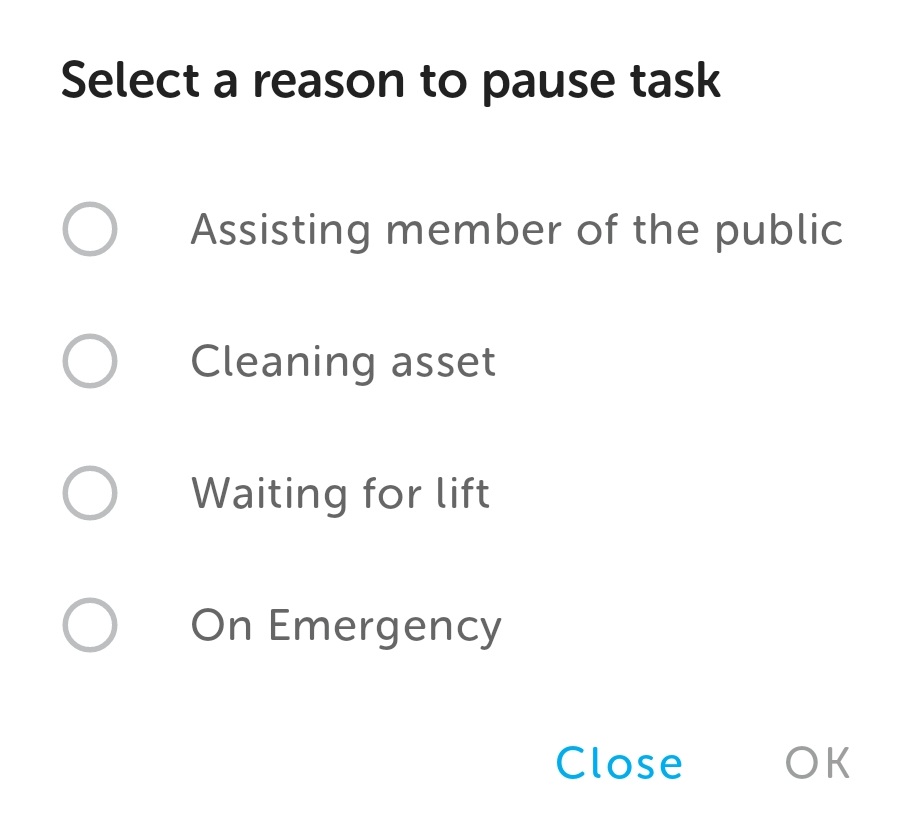
Select the reason and tap OK.
Note: The list of reasons to pause a task will vary according to the task type.
This pauses the task timer and starts a five minute countdown timer. The pause duration is a system configuration.
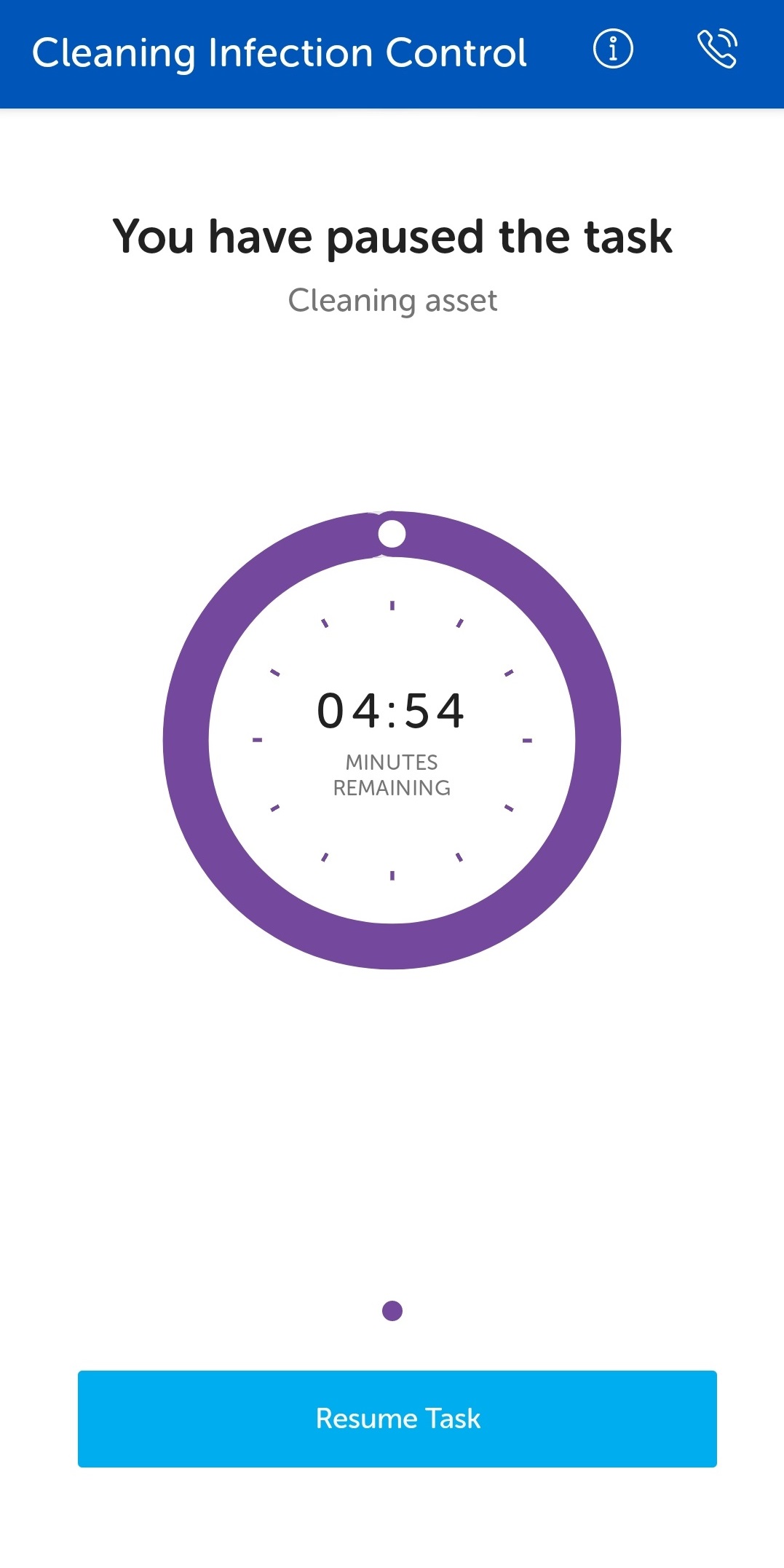
Tap the Resume Task button to resume the task.
When the pause duration runs out, the countdown clock displays the accrued negative time. However, there is an option to extend the pause.
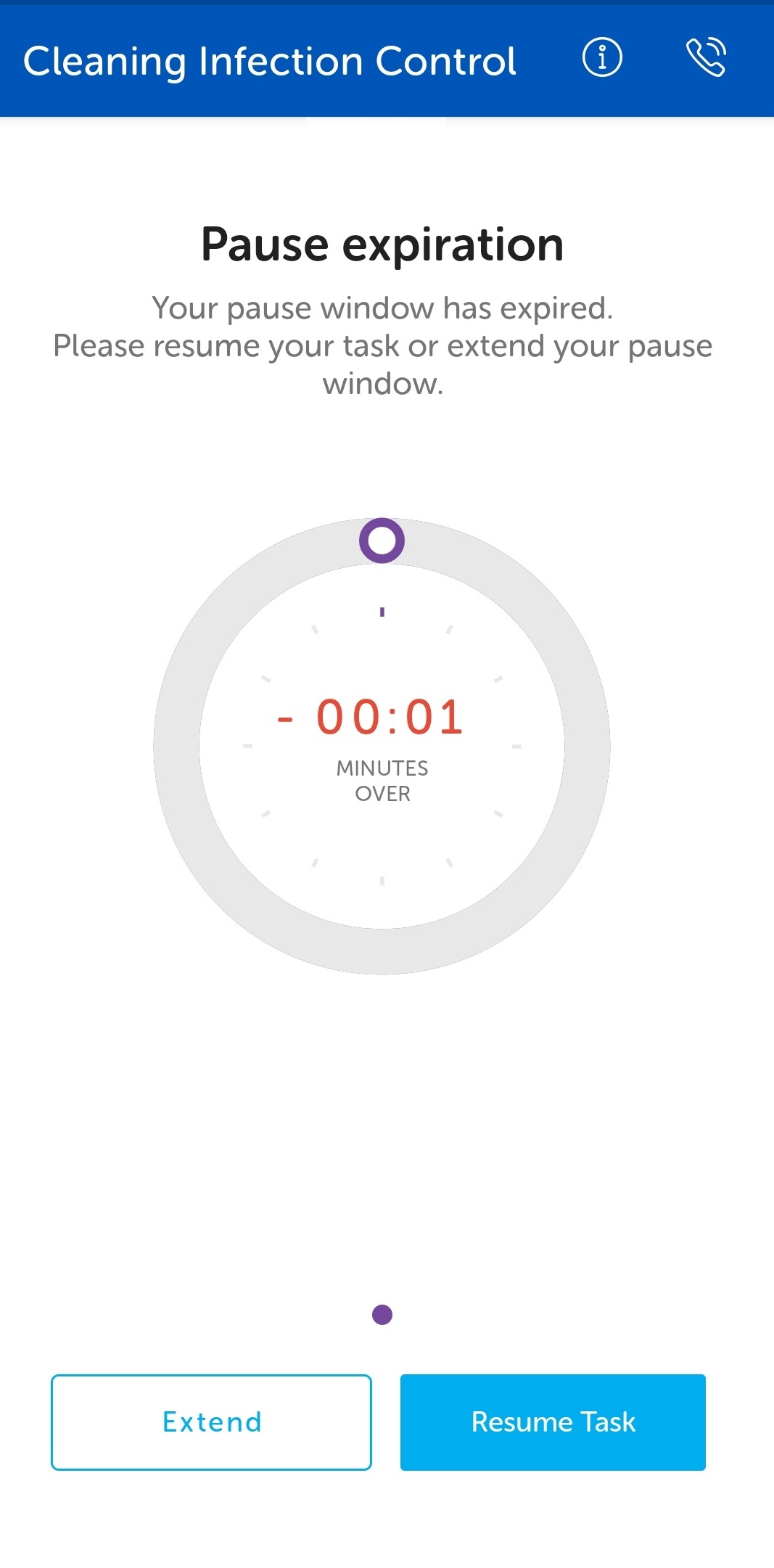
Tap the Extend button to restart the timer for another five minutes. The extension time is the same amount of time configured for pausing a task.
Once the pause time has been extended, the Pause screen is displayed with the 5 minute timer, subject to the system configuration.