Task Assignment Expiration
The task handler has a fixed amount of time to respond to a task assignment before the task is considered expired. This is a system configuration based on the task's priority level.
For example:
-
60 seconds for a low priority task
-
45 seconds for a medium priority task
-
30 seconds for a high priority task
Note: The priority labels above are the system default priority names. These are customisable at system level so may display differently, e.g., routine, urgent and emergency.
If the task assignment expires three times consecutively, a dialog box displays to check the availability of the task handler.
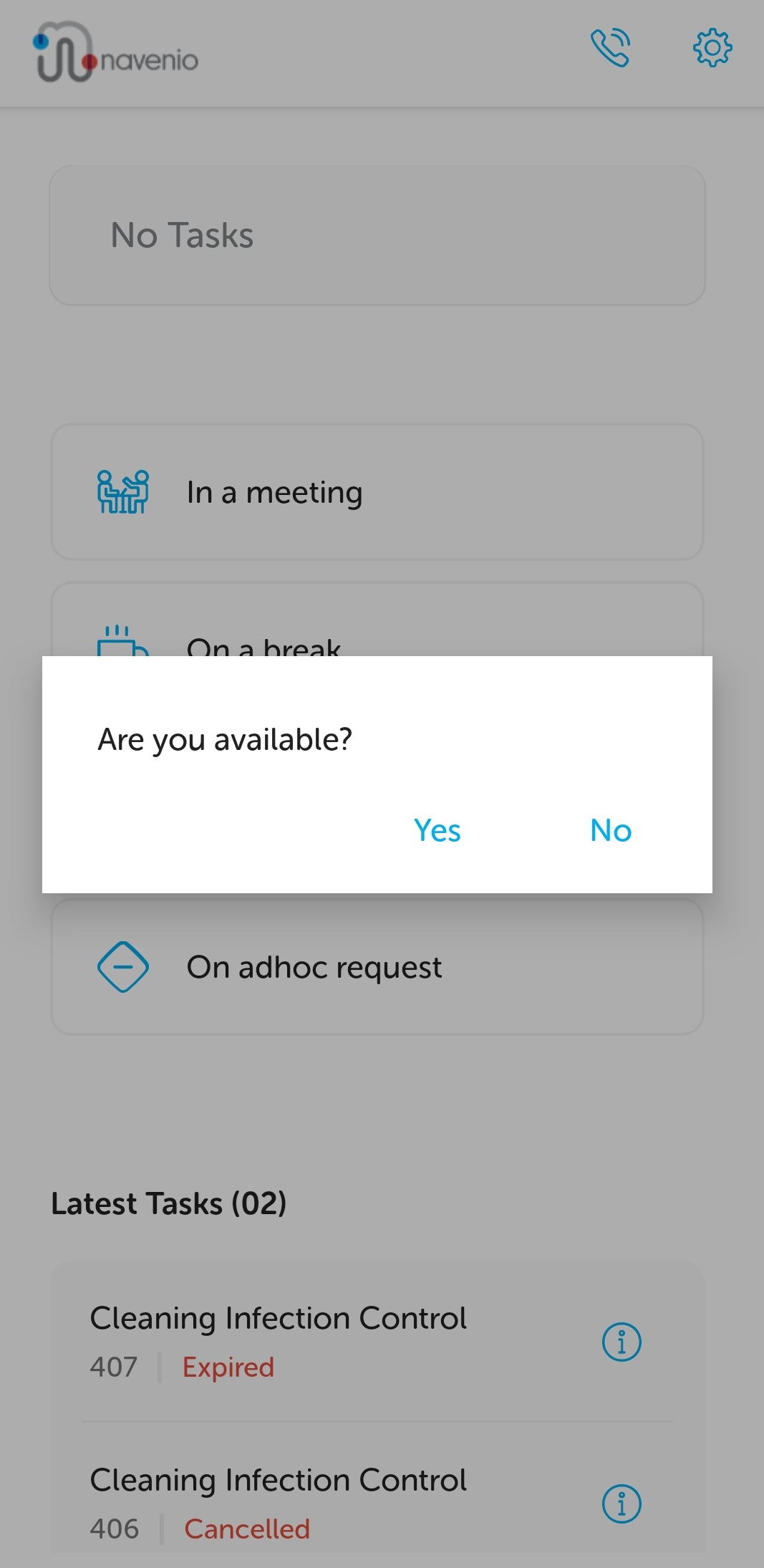
Click Yes to continue receiving tasks and stay in "ready" state, available to have tasks assigned.
Click No to select an appropriate reason for unavailability.
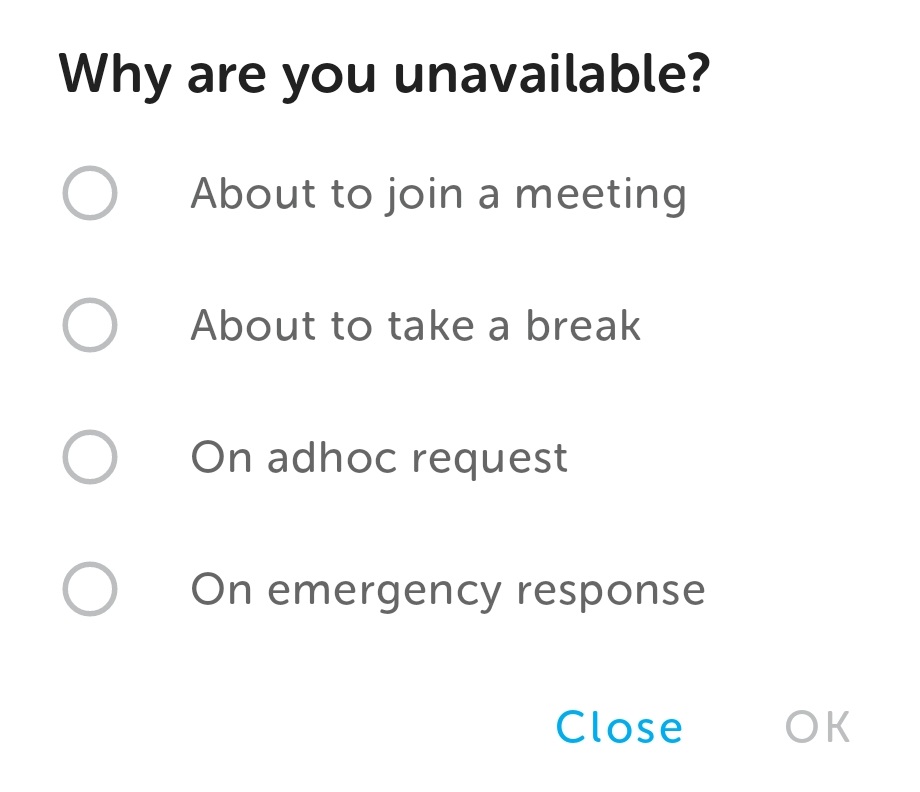
Select the relevant option and click OK. The next displayed screen will depend on the selected reason. For more information on breaks, meetings, emergencies and adhoc requests, please refer to the Landing Page.