On Task Group
Once a task group has been accepted, the tasks are displayed with an In-progress icon.
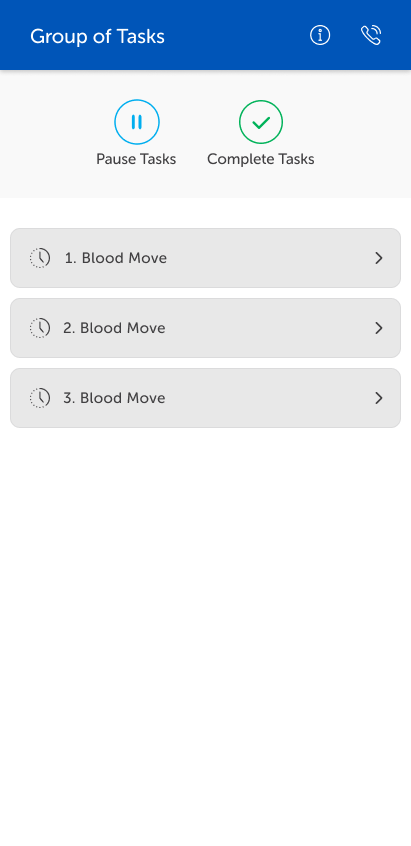
At the top of the tasks, the Pause Tasks and Complete Tasks buttons display.
The tasks will be progressed when the task handler is detected at any of the tasks' first waypoints. All tasks are then progressed automatically as the task handler works through the tasks.
Tap on a task to display the timer with the time for that task. Also Cancel and Complete buttons display.
At the top of the screen, tap:
-
the left arrow to return to the group task view.
-
the information icon to display the task details.
-
the phone icon to make a call.
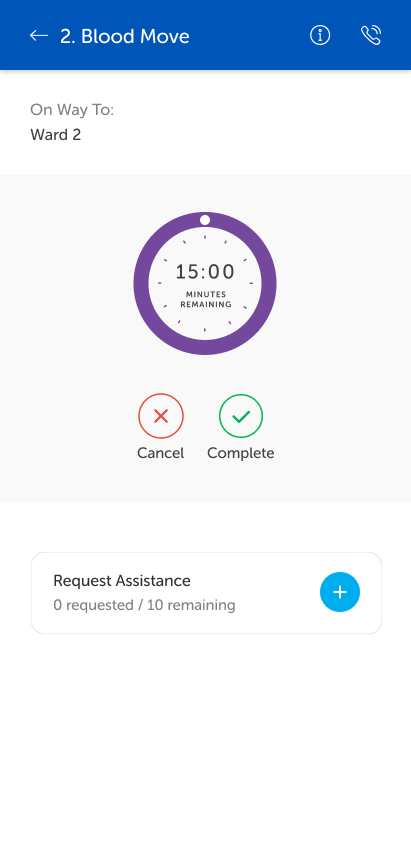
To request assistance, select the individual task for which you require assistance and request assistance from there. See the Request Assistance topic for full details.